How to Replace Your Gizmo Watch: The Best Alternatives for Your Child
If your child has outgrown their Gizmo Watch or you need to switch, here are the best safe phone and smartwatch options in the US for families.
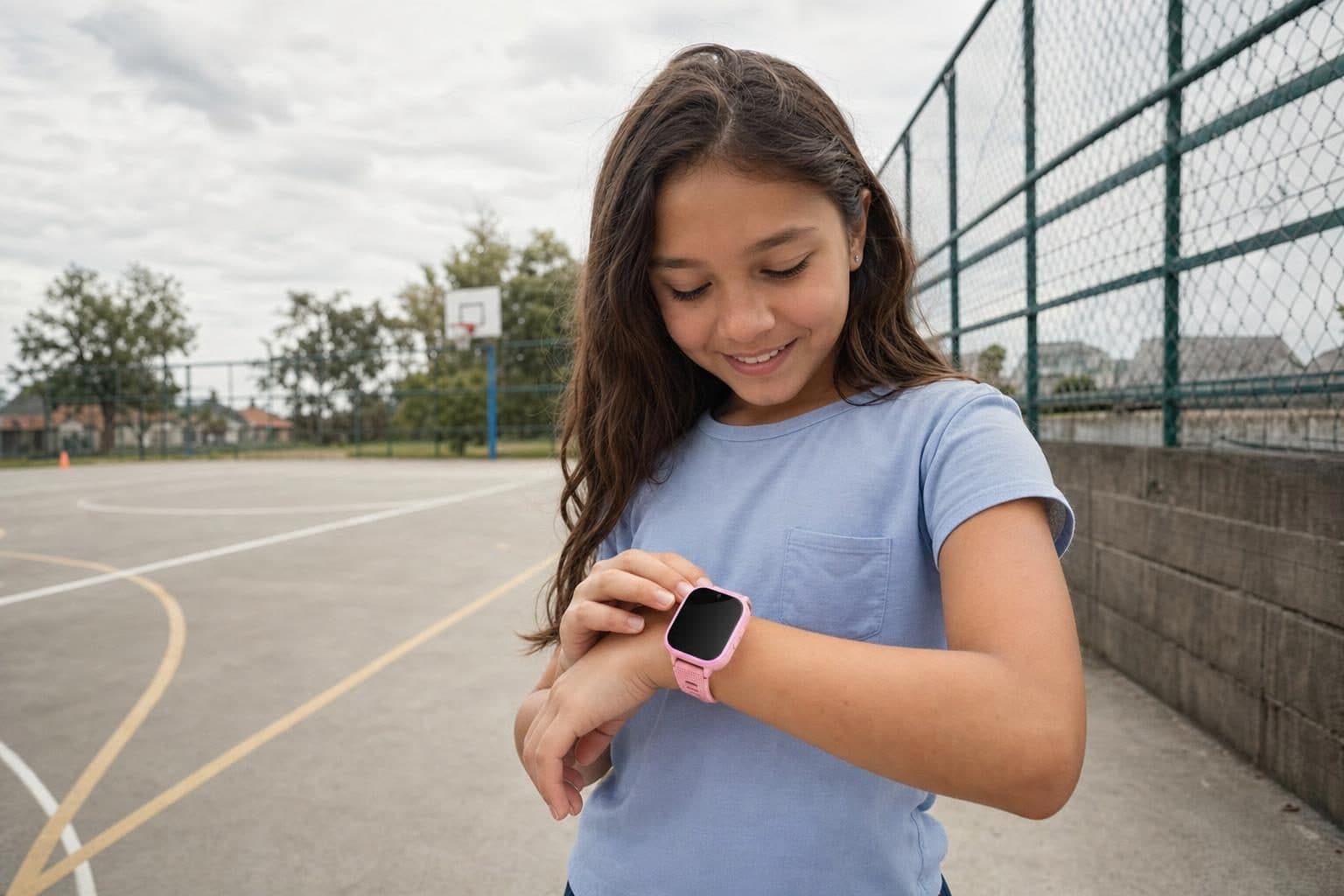
The moment your child's Gizmo Watch stops working or Verizon changes how your family connects, you need a safe replacement that keeps your child connected without handing over a full smartphone. If your question is how to replace a Gizmo Watch for your child, the answer is that several trusted brands now offer kids' smartwatches and phones designed for safety and easy parental control.
Why Replace a Gizmo Watch?
Some families switch because Verizon retires the GizmoHub app or you want to move off Verizon's network. Others find their child wants features the Gizmo Watch does not offer, like a better camera or more flexible calling. Sometimes, the device simply ages out or stops working. Whatever your reason, replacing a Gizmo Watch means finding a device that matches your family's rules and your child's needs.
What to Look for in a Gizmo Watch Replacement
A good replacement should keep your child safe, allow contact with trusted people, and let you manage settings from your phone. Most parents want GPS tracking, calls and texts with approved contacts, and no open internet or social media for younger kids. A camera for video calls is also popular, especially if family lives far away.
The Top Gizmo Watch Alternatives
Here are the leading kids' devices that US families choose when they replace a Gizmo Watch:
1. MeWatch FirstPhone
The MeWatch FirstPhone is a closed device with GPS, calling and texting only with contacts you approve, video calls, and a simple SOS button. There is no internet browser, app store, or social media. It is easy to manage with the parent app, which lets you see your child's location and control the contact list. The FirstPhone comes with a SpeedTalk SIM on the T-Mobile network, and you activate service directly with SpeedTalk. If your child is ready for something with a bit more independence but you do not want to jump to a full smartphone, this is a strong choice. The device must be kept away from water, including showers and pools, since water damage is not covered.
2. TickTalk 5
TickTalk offers a kids' smartwatch with HD video calls, a camera, and GPS tracking. It can be used on AT&T or T-Mobile networks and does not require a contract. It is a good fit for families who want strong video call quality and more network flexibility. However, the interface is a bit more complex for young children, and the device is larger on the wrist.
3. Gabb Watch
The Gabb Watch is built with no camera or video calls but offers calling and texting with trusted contacts, on Verizon. It is a good option for kids who do not need video features and for families who want the simplest device. Gabb's monthly rate requires a contract.
4. Apple Watch with Family Setup
If you already use iPhones and want a device your family manages through Apple's ecosystem, the Apple Watch with Family Setup is a flexible option. It supports calls, texts, and GPS. However, it is a true smartwatch, so it may include more features than some parents want for a younger child, and the price is higher than the closed kids' devices.
5. Other Smartwatches
Some families look at Garmin Bounce, Bark Phone, or Troomi, but these each have their audience. Bark Phone is a smartphone with Bark's monitoring, for older kids ready for some internet access. Garmin Bounce is focused on activity tracking more than communication. Troomi is a kids' phone with apps and an internet filter, so it is more open than the closed devices listed above.
Choosing the Right Device for Your Family
When you replace a Gizmo Watch, think about how much freedom you want your child to have and what features matter most. For families who value a closed, safe experience and want GPS, video calls, and easy management, the MeWatch FirstPhone stands out. If you want a more open device for an older child, the K12 Ultra allows parent-managed apps and WhatsApp, but it is not a closed system like the FirstPhone.
Not sure which direction to go? We have a full guide for families switching from Gizmo, including SIM and plan tips, at Switch from Gizmo.
Keeping Your Child's Device Safe
Whatever you choose, teach your child to care for their device. MeWatch devices need to stay dry, so no swimming or showering with the watch or phone. Back up contacts and make sure you know how to use the parent app before you hand the device to your child.
FAQ
How do I transfer contacts from my Gizmo Watch to a new device? You will need to manually enter your trusted contacts into the parent app for your new device. Most kids' smartwatches, including MeWatch FirstPhone, do not have an automatic transfer from Gizmo, but the setup is simple and quick.
Can I keep my child's phone number when switching from Gizmo? If you want to keep the same number, check with SpeedTalk or your new carrier to see if they support number porting from Verizon. Some parents choose to start with a new number for a fresh start.
Which device is closest to Gizmo Watch in features? The MeWatch FirstPhone, TickTalk, and Gabb Watch all offer calling and GPS with closed contact lists. The biggest difference: MeWatch and TickTalk support video calls, while Gabb Watch does not include a camera.
Will my child lose GPS tracking if I switch from Gizmo? No, the MeWatch FirstPhone and most other modern kids' smartwatches include accurate GPS tracking that parents can view in real time.
Is there a monthly contract with MeWatch? No, MeWatch includes a SpeedTalk SIM that you activate directly with SpeedTalk. There is no contract, and you pay monthly.
More for parents
A Phone Without Internet for Kids: Every Real Option, Compared
August 16, 2026 · 14 min read
SafetyCan Strangers Call a Kids Smartwatch? How Approved-Contacts-Only Devices Work
August 16, 2026 · 11 min read
Buying GuidesLooking for a Gizmo Watch Alternative? What Changed in 2026, and What to Choose
August 16, 2026 · 12 min read
Buying GuidesWhich Kids Smartwatch Should You Buy? The 2026 Head-to-Head Comparison
August 16, 2026 · 12 min read