Can Strangers Call a Kids Smartwatch? How Approved-Contacts-Only Devices Work
On an approved-contacts kids watch, strangers cannot call or text your child. How the closed-contacts model works technically, and how strictly each brand enforces it.
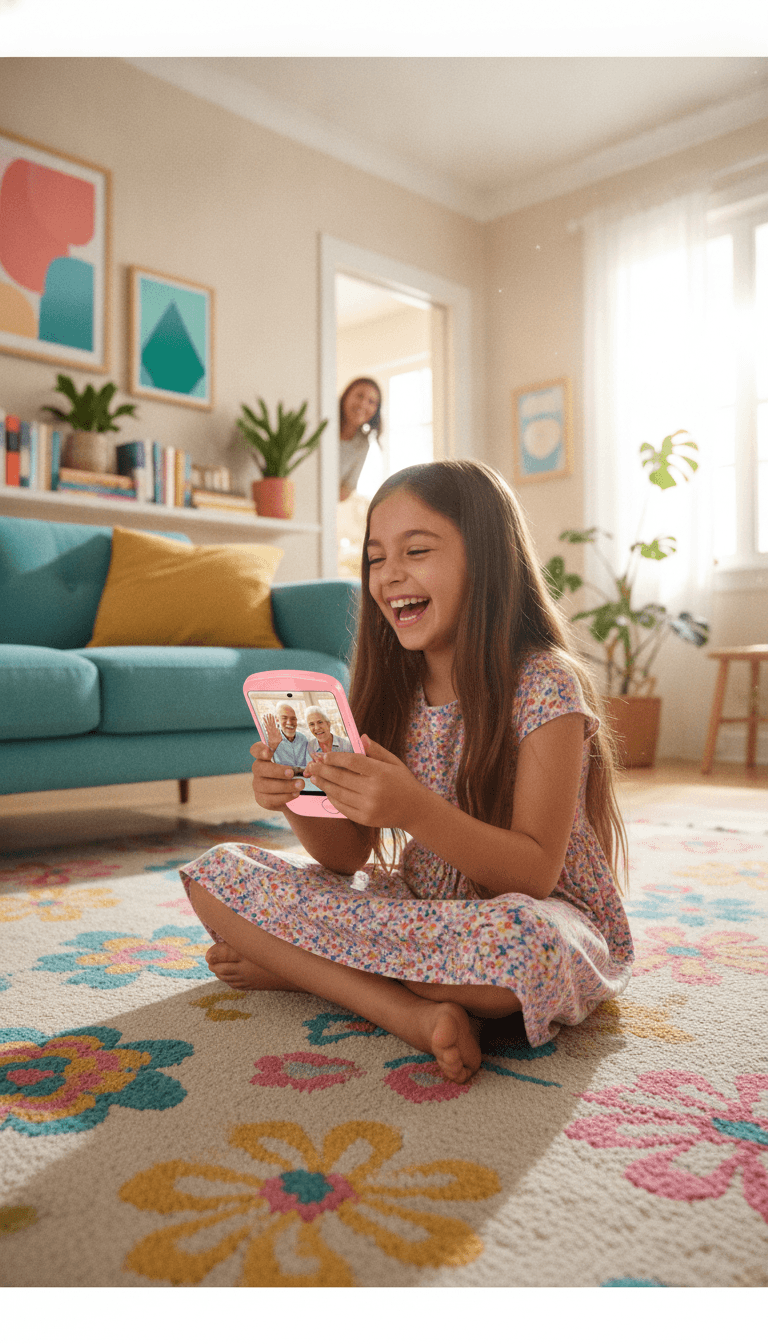
Every parent researching a first device eventually lands on the same fear: a stranger reaching their child directly, in their pocket, on their wrist. So let’s answer the question in this article’s title immediately: on a kids watch built around an approved-contacts model, strangers cannot call or text your child. The watch accepts calls and messages only from the specific people you, the parent, have put on its contact list, and it only lets your child call out to those same people. Everyone else simply doesn’t exist as far as the watch is concerned: no ring, no missed call, no message, no “unknown number” to be curious about.
That model (closed contacts, approved contacts, or a contact safelist, depending on the brand) is the single most important safety feature in the entire kids-device category. It’s also enforced with different levels of strictness by different brands, and those differences matter. We make approved-contacts devices ourselves (the MeWatch smartwatch line and the MeWatch FirstPhone), so we’ll show you exactly how our model works, and then, fairly and with verified facts, how Gabb, Gizmo, TickTalk, and Bark handle the same problem, as of August 2026.
How the approved-contacts model works, technically
Marketing pages say “only people you approve can call.” Here is what actually happens underneath. It’s worth two minutes to understand, because it explains why this model is so much stronger than filters or monitoring apps bolted onto a regular smartphone.
The contact list lives with you, not on the watch
On every serious kids watch, the contact list is created and edited in the parent app on your phone and synced to the watch over its cellular data connection. The child cannot add, delete, or edit contacts on the watch itself (on some brands they can propose an addition, which you then approve). That single design decision is the foundation of everything else: the guest list is in your hands, and a stranger has no path onto it that doesn’t run through you.
Inbound: unknown numbers never make the watch ring
When a call comes in, the watch, or the brand’s servers, checks the caller’s number against the approved list. Approved number → the watch rings. Anything else → the call is rejected or silently dropped. Your child never sees it. The same applies to texts: a message from a number that isn’t on the list is never delivered. There is nothing to click, nothing to answer, and no split-second decision an eight-year-old has to get right. The protection doesn’t depend on your child’s judgment. That’s the whole point.
Outbound: there’s no open dialer to misuse
Just as important, and far less advertised: a closed-contacts watch has no keypad for dialing arbitrary numbers. Your child picks a name or a face from the approved list and taps to call. They can’t return a call to a number that isn’t approved, can’t be talked into dialing something by someone at the park, and can’t make calls you don’t know about. Communication is a closed loop made of people you chose.
Most “texting” never touches open SMS at all
On many kids watches, messaging doesn’t ride the open SMS network the way it does between two phones. Messages travel through the brand’s own closed messaging system, between the watch and the approved contacts’ apps. That’s also how voice notes and photo messages work, and why spam texts and SMS scams simply have no way in.
What “no internet” really means (and what it doesn’t)
Almost every kids-device brand advertises “no internet,” and the phrase deserves decoding, because it hides a distinction parents should understand before trusting any marketing claim, including ours.
These watches do have a data connection. That’s not a loophole; it’s how the product works. The cellular data connection is what carries GPS locations to your app, syncs contact-list changes, and delivers messages. What “no internet” actually means is no user-facing internet:
- No web browser. The child cannot open a page, search, or follow a link.
- No app store. Nothing new can be installed, so nothing can sneak on later.
- No social media. No feeds, no comments, no direct messages from the outside world.
So when you evaluate any device, don’t stop at the phrase. Ask three concrete questions: Is there a browser? Is there an app store? Can anyone I haven’t approved contact my child? On all five devices compared below, the answers are the safe ones as of August 2026, which is exactly why these brands lead the category. Be far more careful with cheap unbranded imports: some marketplace “kids smartwatches” accept calls from any number and ship with an open contact model, which defeats the entire point of the category.
How strictly each brand enforces it (verified August 2026)
Everything below was checked against each brand’s own published product and support pages in August 2026. Details change, so confirm on the brand’s site before you buy.
MeWatch: closed by design, everywhere, always on
Every MeWatch device (the K12 Light, L12 Prime, and K12 Ultra watches, plus the FirstPhone for kids who need a phone shape) runs the same rule with no variants and no settings to get wrong: parent-approved contacts only, in both directions, always on. There is no open dialer, no browser, no app store, and no social media on any model: not filtered, not hidden behind a toggle, simply not present in the software. Calls and messages flow between the device and the contacts you approve in the MeWatch parent app, and video calls run through the parent app as well, inside the same approved circle.
Gabb Watch 3e: closed contacts plus filtered messaging
Gabb built its whole company around internet-free kids tech, and its watch shows it. Parents manage the Gabb Watch 3e’s list from the MyGabb app, with room for up to 100 approved contacts (as of August 2026), the roomiest list in the category and genuinely useful for big extended families. Texting runs through Gabb Messenger, and Gabb adds something distinctive: smart filtering on message content. If a message with potentially harmful content reaches the watch, even from an approved contact, Gabb flags it and notifies the parent by email, and group messages that include unapproved people are blocked entirely. One trade-off to know: the Watch 3e has no camera, so there is no video calling, a deliberate less-screen choice some families actively prefer.
Gizmo Watch 3: a locked circle of 20 trusted contacts
Verizon’s Gizmo Watch 3 keeps the tightest circle: parents enter up to 20 trusted contacts in the GizmoHub app, and only those people can call or text with the watch (as of August 2026). Twenty is the smallest ceiling in this comparison (in practice plenty for parents, grandparents, and a few friends), and GizmoHub also lets parents monitor the watch’s text messages. Video calling is supported inside the trusted circle, between the watch and approved GizmoHub users.
TickTalk 5: approved contacts, plus one toggle worth knowing
TickTalk’s model is parent-approved contacts, managed from the TickTalk parent app, with voice and HD video calling inside that circle. There is one detail careful parents should know, straight from TickTalk’s own support pages: the Block Unknown Numbers protection is a setting you switch on in the app’s Parent Portal, and once enabled, only preset parent-approved contacts can call or message the watch (as of August 2026). Enabling it takes seconds. Just make it part of your day-one setup rather than assuming it’s on out of the box.
Bark Watch: closed contacts plus AI monitoring
Bark approaches the problem from a different angle: it’s best known for its content-monitoring service, and the Bark Watch pairs a contact safelist with that monitoring brain. Contact approval is always enabled on the Bark Watch (as of August 2026), with three tiers (approved contacts, emergency contacts that always get through, and unapproved numbers that are blocked), and parents choose whether to approve every contact personally or let their child propose additions. On top of the safelist, Bark automatically monitors texts, photos, and videos for signs of bullying, predators, and other concerns, and alerts the parent with context. The watch has no games, browser, or social media. Bark’s published pages center on voice calls and texting; video calling isn’t advertised, so check bark.us for its current status.
The contact-safety models side by side
All entries verified on each brand’s published pages, August 2026:
| Contact safety | MeWatch (watches & FirstPhone) | Gabb Watch 3e | Gizmo Watch 3 | TickTalk 5 | Bark Watch |
|---|---|---|---|---|---|
| Who can reach the child | Parent-approved contacts only | Parent-approved contacts (up to 100) | Up to 20 trusted contacts | Parent-approved contacts | Approved + emergency contacts; unapproved blocked |
| Stranger blocking by default | Always on, no off switch | Yes, closed by design | Yes, list locked in GizmoHub | Enable “Block Unknown Numbers” in the Parent Portal | Yes, contact approval always enabled |
| Who manages the list | Parent, in the MeWatch app | Parent, in MyGabb | Parent, in GizmoHub | Parent, in the TickTalk app | Parent (child can propose additions) |
| Texting model | Closed messaging inside the approved circle | Gabb Messenger, with harmful-content flagging + parent email alerts | Texts with trusted contacts; parent can monitor | Messaging with approved contacts | Texts with safelist + AI monitoring of texts, photos, videos |
| Video calls | Yes, via the parent app | No (no camera) | Yes, inside the GizmoHub circle | Yes, HD, approved contacts only | Not advertised; verify with Bark |
| Open internet / app store | None on any model | None | None | None | None |
Texting: blocking vs. filtering vs. monitoring
Calls are the simple half of the problem: a number is either on the list or it isn’t. Texting is where the brands genuinely differ in philosophy, and it’s worth choosing deliberately rather than by accident. There are three approaches:
- Pure blocking (the hard allowlist). Messages from outside the approved circle are never delivered, period. This is the MeWatch model, and TickTalk’s too, with its toggle enabled. The logic: if only people you trust can reach the watch at all, there is nothing from strangers left to filter.
- Blocking plus content filtering. Gabb keeps the closed circle and additionally runs message content through smart filters, flagging potentially harmful material and emailing the parent. That protection applies even inside the approved circle.
- Blocking plus AI monitoring. Bark keeps the safelist and layers its monitoring engine on top, alerting you to concerning texts or images with context rather than only blocking senders.
Which is right? Honestly, it depends on your child’s age and your parenting style. For a young child with five approved contacts, blocking alone is arguably complete: everyone in the circle is family. As the circle grows to include school friends and their group chats, filtering or monitoring inside the circle starts earning its keep. There is no wrong answer among these four philosophies; there is only matching the model to your family. For the wider picture beyond the device, our online safety starter guide covers content, contact, and conduct risks in plain language.
Voice vs. video calls: which is safer?
Parents sometimes worry that video calling makes a watch riskier. On a closed-contacts watch, it doesn’t, because video runs through the same guest list as voice. On these devices, video calls don’t use a public service with searchable usernames; they run inside the brand’s own app, between the watch and approved contacts who have that app installed. A stranger cannot video-call your child for the same reason they cannot voice-call: there is no public address to reach and no incoming request your child can accept.
The real differences are practical rather than safety-related: video uses more data and battery, and many younger kids do better with voice anyway. Gabb has opted out of cameras entirely on its watch; MeWatch, Gizmo, and TickTalk include video inside the approved circle. Both choices are defensible; neither opens a door to strangers.
The honest gaps no watch can close
We’d rather you hear this from a device maker than discover it later: an approved-contacts list is the strongest protection in the category, and it is still not magic. Whichever brand you buy, keep these in mind:
- The list is only as good as what’s on it. The model assumes the people you approve are safe. Review the list every so often as your child’s circle changes. Approving is a decision, not a one-time chore.
- A trusted number isn’t always the trusted person. If an approved contact’s phone is lost or borrowed, whoever holds it can reach your child. It’s rare, but it’s why a casual “who was that call from?” habit is healthy.
- Defaults and toggles vary. As TickTalk’s example shows, some protections are settings rather than defaults. Whatever you choose, walk through every safety setting on day one. It takes ten minutes, and they’re the highest-value ten minutes of the purchase.
- The watch protects the wrist, not the world. Playground conversations, a friend’s tablet, a cousin’s phone: the approved-contacts model covers your child’s own device only. What it really buys you is years of safety on their device while you build the judgment that will eventually protect them everywhere. That gradual approach is the same reason many families start with a phone without the open internet instead of a smartphone.
What MeWatch does not do
We held the competitors to the facts above, so here are ours, first, before any sales pitch:
- MeWatch devices are not water-resistant. Several competitor watches carry IP water-resistance ratings; ours carry none. MeWatch comes off before swimming, baths, and water fights. If wrist-time at the pool matters to your family, weigh that honestly.
- Our bundled monthly plans are coming soon; they are not here yet. Today, each MeWatch device ships with a SpeedTalk SIM included, running on the nationwide T-Mobile 4G LTE network, and you activate it directly with SpeedTalk at speedtalkmobile.com/activate using the 19-digit SIM number printed on the SIM card or its packaging. It’s a few minutes of one-time setup, but it is an extra step that carrier-integrated brands don’t ask of you.
- We’re the newcomer in the U.S. Gabb, Verizon, TickTalk, and Bark have longer American track records and larger review bases. We believe our always-on closed-contacts design and our prices (kids watches from $49) make the case on their own, but a shorter track record is a fair thing for a careful parent to weigh.
What this means for your family
The approved-contacts model is the direct answer to the number-one parent fear, and the good news is that every serious brand in this category (MeWatch, Gabb, Gizmo, TickTalk, and Bark) gets the fundamentals right: a parent-controlled list, no open dialer, no path for a stranger to reach the wrist. The differences live in the details: list sizes, defaults versus toggles, and whether texting is blocked, filtered, or monitored. Pick the details that fit how your child already talks to people.
If you want the model at its simplest (closed contacts on every device, always on, with nothing to configure and nothing to bypass), that’s what we build: browse the MeWatch smartwatch line, or the FirstPhone for kids who need a phone shape instead of a watch. Still weighing a watch against a phone? Our smartwatch vs. phone guide breaks down that decision by age and routine.
Frequently asked questions
- Can strangers call my child on a kids smartwatch?
- Not on an approved-contacts watch that is set up correctly. Devices from MeWatch, Gabb, Gizmo, TickTalk, and Bark only allow calls and texts from contacts a parent has approved; unknown numbers are rejected before the watch ever rings. On TickTalk, make sure to enable the Block Unknown Numbers setting in the Parent Portal; as of August 2026 it is a toggle, not a factory default.
- What does “no internet” on a kids watch actually mean?
- The watch still has a cellular data connection, and that is how GPS locations, contact updates, and messages travel. “No internet” means no user-facing internet: no web browser, no app store, and no social media. The child cannot browse, search, install apps, or receive messages from outside the approved contact list.
- Do approved-contacts watches block text messages from strangers too?
- Yes. Texts from numbers outside the approved list are never delivered to the watch. Some brands add a second layer inside the approved circle: Gabb Messenger flags potentially harmful message content and emails the parent, and Bark automatically monitors texts, photos, and videos and alerts parents to concerning material.
- Is stranger blocking turned on by default on every kids watch?
- Mostly, but not universally. As of August 2026, MeWatch, Gabb, Gizmo, and Bark are closed by design: contact approval is always active. On the TickTalk 5, the Block Unknown Numbers protection is a setting parents enable in the TickTalk app’s Parent Portal. Whichever brand you choose, walk through every safety setting on day one.
- Can a stranger video-call my child on one of these watches?
- No. On watches that offer video calling (MeWatch, Gizmo, and TickTalk), video runs inside the brand’s own app between the watch and approved contacts only. There is no public username to find and no incoming request from outside the approved circle. The Gabb Watch 3e has no camera at all, and Bark does not advertise video calling as of August 2026.
- How is this different from parental-control apps on a regular smartphone?
- Parental-control apps try to filter an open device, which becomes a constant arms race of workarounds and missed content. An approved-contacts watch is closed at the hardware and software level: there is no browser, no app store, and no open dialer to filter in the first place, so there is nothing for a child to bypass and no stranger-contact path to monitor.
More for parents
A Phone for Kids Without the Internet: Connected, but Safe
June 5, 2026 · 6 min read
SafetyOnline Safety for Kids: A Parent’s Starter Guide
May 8, 2026 · 7 min read
SafetyKeeping Kids Safe on the Walk to School
April 10, 2026 · 5 min read
SafetyAre Kids Smartwatches Safe? Addressing Parent Concerns
March 27, 2026 · 4 min read