Understanding the K12 Smartwatch for School-Age Kids
A clear guide on what a K12 smartwatch is, how school mode prevents classroom distractions, and how key models compare for student safety.
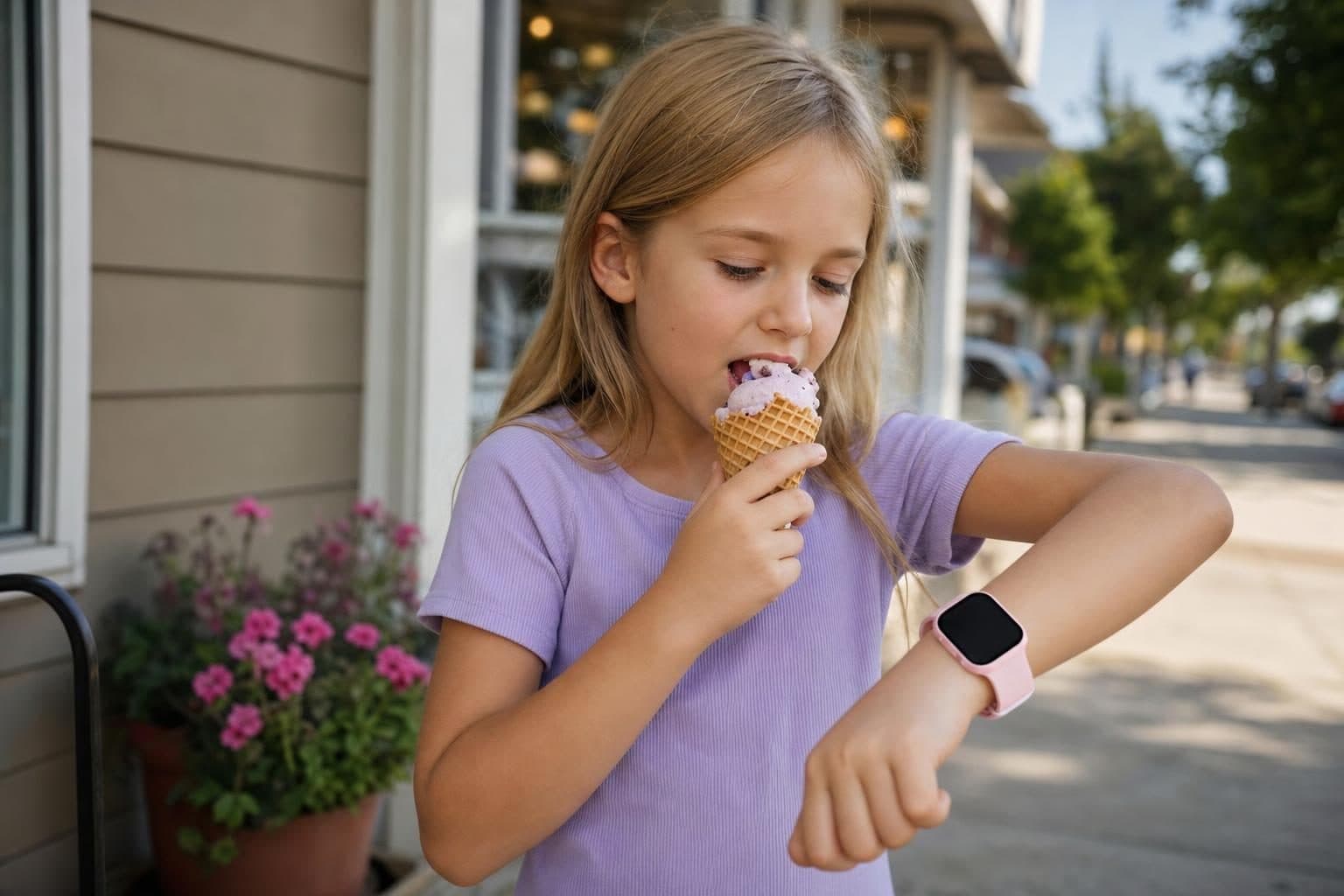
A K12 smartwatch is a connected wrist device built specifically to give young students safe communication with parents without open internet access. It is suitable for elementary and middle school kids who need simple calling and safety features while avoiding screen addiction.
When children begin taking their first steps toward independence, like walking down the driveway to catch the yellow school bus or staying after school for soccer practice, parents start looking for a reliable way to stay in touch. A standard smartphone usually brings along too many distractions. Social media algorithms, unfiltered internet browsers, and constant gaming notifications can pull a child away from schoolwork and real-world play. That is where devices tailored for the school years fit in.
What Makes a K12 Smartwatch Different
Standard smartwatches designed for adults rely on constant phone pairings, app stores, and complex menus. A wrist device made for young students focuses on a smaller set of essential features. Parents manage contact lists directly from a mobile app, meaning unknown numbers cannot ring the watch.

These devices strip away web browsers and open app stores. That design prevents young kids from accessing inappropriate websites or downloading random games during class. Instead, the focus stays on simple voice calls, pre-approved video chats, and quick check-ins. If you want to explore the wider range of wrist wearables designed for families, check out MeWatch smartwatches to see how various designs handle daily communication.
Classroom Rules and School Mode
Elementary and middle schools across the country enforce strict guidelines regarding digital hardware in the classroom. Teachers do not want devices buzzing on desks or distracting children during reading periods.
Most school-focused wearables solve this problem through a feature called school mode. Parents program class schedules directly inside their mobile control app. During designated classroom hours, the watch limits its features to a simple silent clock display. Incoming calls are silenced, and games or non-essential tools remain locked. The emergency SOS button remains active, so a child can still alert parents if a true emergency occurs on campus.
Comparing K12 Smartwatch Options Across Brands
Several options populate the market today, each offering a distinct setup for hardware and cellular connection networks.
Gizmo Watch runs exclusively on Verizon and provides video calling for up to 20 pre-approved contacts. Families who use Verizon manage this hardware through the Verizon Family app, which replaced the older GizmoHub platform in June 2026.
Gabb Watch also operates on the Verizon network without open web access or social media. It features no camera, meaning video calls are unavailable, and securing its lowest monthly subscription requires a long-term contract.
TickTalk offers independent hardware known for HD video calling with a choice of AT&T or T-Mobile cellular coverage and no contract commitment.
Alongside these options, the MeWatch K12 Light offers an entry-level wrist option designed for straightforward calling. It includes video calling through a built-in selfie camera, simple voice calls with approved contacts, and an integrated SOS button. It runs on a MeWatch plan, monthly or annual, powered by SpeedTalk, so parents do not have to sign a multi-year carrier contract.
Understanding Location Tracking Types
Knowing where your child is during the school day provides peace of mind, but different devices calculate position differently.
Some entry wearables rely on cell tower signals, known as LBS location tracking. LBS estimates position based on the proximity of nearby cellular towers. In dense urban areas with many cell towers, LBS provides a general neighborhood area. In rural regions, the position radius grows wider.
Other devices build dedicated GPS chips directly into the hardware. GPS connects directly to satellite networks to pinpoint exact street coordinates. While GPS offers tight accuracy for tracking outdoor walking routes, it consumes battery power faster than LBS tracking. Deciding between LBS and GPS depends on whether your child spends most days inside a single school building or travels across several locations independently.
Physical Durability and Water Precautions
Kids are active on playgrounds and schoolyard turf. Daily wear means the watch body will bump against desks, backpacks, and sports equipment.
While hardware frames are built sturdy for daily playground activities, liquid exposure remains a common hazard. Every MeWatch device must be kept completely away from water, including swimming pools, ocean waves, and bathroom showers. Water damage is not covered under warranty service, so children should remove their watch before handwashing or rainy outdoor play.
Finding the Right Balance for Your Student
Choosing the right device comes down to your child's age, daily routine, and personal maturity. Younger elementary students benefit from stripped-down wrist hardware that offers calling without extra apps. Older middle schoolers might eventually require additional tools, but staying connected during the early school years does not require giving up safety.
Reviewing your school's phone policies and discussing ground rules with your child helps set up clear boundaries from day one.
Frequently Asked Questions
Can my child use a K12 smartwatch during class time?
Yes, provided the device has school mode enabled. School mode locks non-essential features during class hours, turning the watch into a simple silent clock so it does not disturb instruction.
Does a K12 smartwatch require a monthly cellular plan?
Yes. All smartwatches with calling features require a cellular connection. For example, MeWatch models include a SIM card and run on a MeWatch plan, monthly or annual, powered by SpeedTalk, without long-term contracts.
Is a K12 smartwatch waterproof?
No. MeWatch devices are not waterproof and must be kept away from water, including pools, showers, and heavy rain. Water damage is not covered under warranty.
What is the main difference between LBS location tracking and GPS?
LBS estimates location using nearby cell towers, conserving battery power while providing a general area. GPS uses satellite signals to pinpoint precise coordinates, which gives higher accuracy but uses more battery power.
More for parents
A Phone Without Internet for Kids: Every Real Option, Compared
August 16, 2026 · 14 min read
SafetyCan Strangers Call a Kids Smartwatch? How Approved-Contacts-Only Devices Work
August 16, 2026 · 11 min read
Buying GuidesLooking for a Gizmo Watch Alternative? What Changed in 2026, and What to Choose
August 16, 2026 · 12 min read
Buying GuidesWhich Kids Smartwatch Should You Buy? The 2026 Head-to-Head Comparison
August 16, 2026 · 12 min read