Which Kids Smartwatch Should You Buy? The 2026 Head-to-Head Comparison
Four popular kids smartwatches compared honestly: device prices, monthly costs, networks, GPS, calling rules, and contracts, so you can pick the right one for your family.
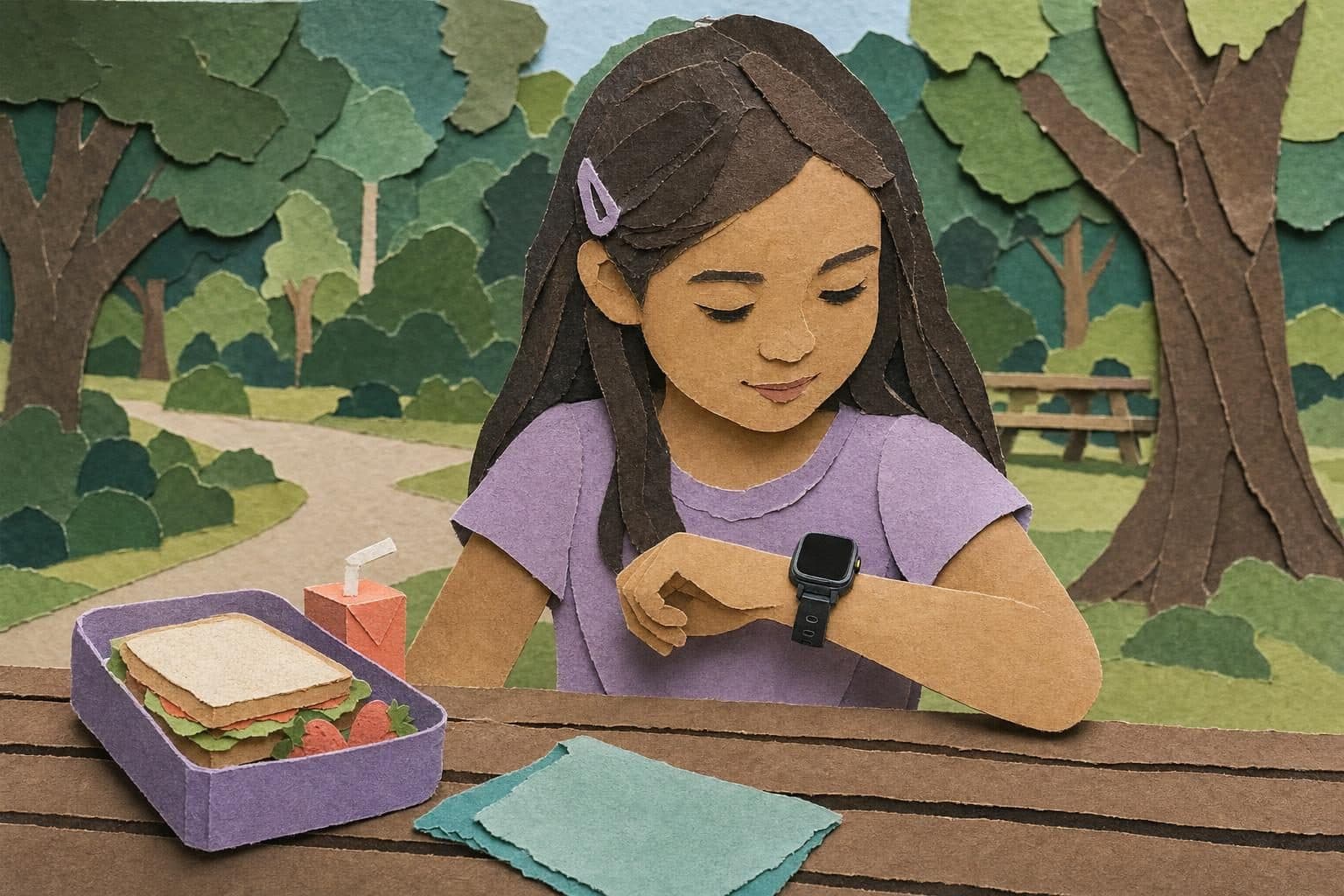
If you’ve started researching a smartwatch for your child, you’ve probably run into the same three names everywhere: Gabb, Gizmo (Verizon’s kids watch), and TickTalk. They’re the most-recommended brands in the category, and each one earned that spot for a real reason. We make kids’ devices too (the MeWatch smartwatch line), so instead of pretending the competition doesn’t exist, we did what we’d want another parent to do for us: put all four side by side, with verified prices, and told you honestly where each one wins.
Every price and spec below was checked against each brand’s own published pages as of August 2026. Prices change; always confirm on the brand’s site before you buy.
The short answer
Here’s the direct answer, before all the detail:
- Your family is already on Verizon? The Gizmo Watch 3 is the path of least resistance: it lives on your existing Verizon account for $10/month per watch (as of August 2026), and the carrier integration is something no other brand here matches.
- You want video calling with no contract? The TickTalk 5 is the strongest pick, with HD video calling, a choice of AT&T or T-Mobile coverage, and month-to-month plans from $9.99 with no activation or cancellation fees (as of August 2026).
- You want a safety-first ecosystem your child can grow up inside? Gabb is the category’s veteran. A watch today, a safe Gabb phone later, one parent app and one philosophy across all of it.
- You want the lowest upfront cost and zero open internet, with no contract? MeWatch is built for exactly that: kids smartwatches from $49, approved-contacts-only calling, no browser or app store by design, and no contract, with the honest caveats we list below (we’re the newcomer, our watches are not water-resistant, and activation is an extra step: you buy a MeWatch plan and enter the included SIM’s number in My Account).
There is no single “best kids smartwatch.” There’s only a best one for your family’s situation. The rest of this guide gives you the numbers and trade-offs to make that call.
The full comparison at a glance
All prices verified on each brand’s published pages, August 2026, before taxes and fees. The MeWatch column shows the L12 Prime, our mid-range GPS watch; the K12 Light ($49) and K12 Ultra ($129) sit on either side of it.
| Feature | Gabb Watch 3e | Gizmo Watch 3 | TickTalk 5 | MeWatch L12 Prime |
|---|---|---|---|---|
| Device price | $149.99 | $149.99 (Adventure model: $129.99) | $159.99 | From $69 |
| Monthly cost | $12.99-$17.99 depending on contract | $10 per watch on a Verizon account | From $9.99 + tax | MeWatch plan, monthly or annual, powered by SpeedTalk (see me-watch.com/plans) |
| Contract | Cheapest rate needs a 2-year contract (early-termination fees up to $150) | Verizon account required; watch often sold on a device-payment plan | None; cancel anytime | None |
| Activation fee | $30 (new lines) | Standard Verizon line fees may apply | None | None from MeWatch; our team activates the included SIM once you buy a MeWatch plan |
| Network | Verizon | Verizon only | AT&T or T-Mobile | Nationwide 4G LTE, powered by SpeedTalk |
| GPS & safe zones | Live GPS + safe zones (no location history) | GPS + multiple safe zones with alerts | GPS tracking | Real GPS + LBS, geofence alerts |
| Calling model | Parent-approved contacts (up to 100) | Up to 20 trusted contacts | Parent-approved contacts only | Approved contacts only |
| Video calling | No (no camera) | Yes | Yes, HD “FaceTalk” | Yes, through the parent app |
| School mode | Yes (lock from the MyGabb app) | Yes (GizmoHub) | Yes (scheduled Do Not Disturb) | Yes |
| Water resistance | IP68 rated | IP68-class rated | IP67 rated | Not water-resistant |
| Open internet / app store | None | None | None | None, by design |
| Parent app | MyGabb | GizmoHub | TickTalk app | MeWatch parent app (iOS/Android) |
Gabb Watch 3e: the safety-first ecosystem
Gabb is the brand many pediatricians and parent groups mention first, and it has earned that trust: the entire company exists to sell kids tech without the internet. The Gabb Watch 3e costs $149.99 (as of August 2026), runs on the Verizon network, and its service costs $12.99/month on a 2-year contract, $14.99 on a 1-year, or $17.99 month-to-month, plus a $30 activation fee on new lines. Early-termination fees run up to $100 (1-year) or $150 (2-year), so the cheap rate is a real commitment.
What Gabb does better than anyone
The ecosystem. A child can start on a Gabb Watch, move up to a Gabb Phone 4 ($149.99) or Phone 4 Pro ($199.99) as they grow, and the whole journey stays inside one parent app and one safety philosophy. If you want a multi-year “tech ladder” already mapped out for your kid, nobody else in this comparison offers that as coherently. The watch itself is also solidly built for the age group: IP68 water rating, live GPS with safe zones, up to 100 approved contacts, and a lock-during-school mode.
Where it gives ground
No camera means no video calling. For some families that’s a feature (less screen); for others it’s a dealbreaker. It has the highest realistic monthly cost here once you avoid the 2-year lock-in, and the activation fee plus termination fees add friction the no-contract brands don’t have.
Gizmo Watch 3: the Verizon-family pick
The Gizmo Watch 3 is Verizon’s own kids watch, and that’s both its superpower and its limitation. The watch retails at $149.99 (an outdoor-oriented “Adventure” model lists at $129.99), and service is $10/month per watch on a Verizon account, the lowest carrier-branded monthly rate in this comparison (all figures as of August 2026).
What Gizmo does better than anyone
Carrier integration. If your family already pays Verizon, the Gizmo joins your existing plan and bill: no separate account, no separate app store of problems, and Verizon’s retail stores can help you in person. The watch itself is genuinely good: video calls via the front camera, up to 20 trusted contacts, multiple safe zones with arrive/leave alerts, School Mode through the GizmoHub app, and an IP68-class water-resistance rating.
Where it gives ground
It’s Verizon-only. If you’re on AT&T, T-Mobile, or an MVNO, adding a Gizmo means opening a Verizon relationship just for the watch. Its 20-contact ceiling is the smallest here (rarely a real-world problem, but worth knowing), and the total two-year cost is mid-pack rather than cheap.
TickTalk 5: the video-calling flexible one
TickTalk is the independent specialist of the group, a family-run brand that has iterated on one product line for years. The TickTalk 5 is the priciest device here at $159.99, but its service is among the most flexible: plans from $9.99/month + tax, no contracts, no activation or cancellation fees, and, uniquely, a choice of AT&T or T-Mobile coverage, with the SIM included (as of August 2026).
What TickTalk does better than anyone
Video calling and carrier choice. Its HD “FaceTalk” video calling is the best-regarded in the category, and being able to pick whichever of two national networks covers your neighborhood better is a quietly huge advantage if you live somewhere with patchy signal. You also get an IP67 water-resistance rating, parent-approved contacts with unknown-number blocking, scheduled school/Do-Not-Disturb mode, and extras like music.
Where it gives ground
Upfront price: it’s the most expensive device in this comparison. And as an independent brand it can’t match Verizon’s in-store support or Gabb’s device-ladder ecosystem; it’s a great watch more than a whole system.
MeWatch: the low-cost, no-internet-by-design newcomer
Now our side of the table, stated as plainly as we stated theirs. MeWatch sells three kids smartwatches in the U.S.: the K12 Light at $49 (entry level: calls to approved contacts, GPS location, SOS, school mode), the L12 Prime from $69 (real GPS, video calls through the parent app, a closed OS), and the K12 Ultra at $129 (our most advanced model, running Android, with optional WhatsApp that a parent can add and turn off at any time from the parent app). There’s also the MeWatch FirstPhone at $69 for kids who need a phone shape instead of a watch.
What MeWatch does better than anyone
Price and philosophy. Our whole lineup costs less than any single competitor device above, there is no contract and no activation fee from us, and every device is built on the same rule: approved contacts only, and no open internet: not filtered, not limited, simply not there. No browser, no app store, no social media, on any model. Each device ships with its SIM included, and service is a MeWatch plan, monthly or annual, with nationwide 4G LTE coverage powered by SpeedTalk (see current plans and prices at me-watch.com/plans).
Where it gives ground
Honestly? In several places. See the next section, because if you’re comparing carefully, you deserve the full list.
What MeWatch does not do (read this before choosing us)
Fair is fair. We listed everyone else’s trade-offs, so here are ours, first and unprompted:
- Our watches are not water-resistant. Gabb and Gizmo carry IP68 ratings and TickTalk carries IP67. Ours carry no water-resistance rating, and we won’t pretend otherwise: MeWatch comes off before the pool, the bath, and the water-balloon fight.
- Activation is a separate step. You buy a MeWatch plan at me-watch.com/plans, enter the 19-digit SIM number printed on the card or its packaging in My Account, and our team activates the line. It’s an extra step the carrier-integrated brands don’t ask of you.
- We’re the newcomer in the U.S. Gabb, Verizon, and TickTalk have longer American track records, larger review bases, and in Verizon’s case, physical stores. We think our devices and pricing make the case on their own, but a shorter track record is a real factor for a careful parent, and you should weigh it.
How to actually choose: cost over two years
Sticker prices mislead; kids watches are subscriptions with a screen attached. Here’s illustrative two-year math using each brand’s cheapest published rate as of August 2026, before taxes and fees:
- Gabb Watch 3e: $149.99 device + $30 activation + 24 × $12.99 (2-year contract) ≈ $492
- Gizmo Watch 3: $149.99 device + 24 × $10 ≈ $390 (on an existing Verizon account)
- TickTalk 5: $159.99 device + 24 × $9.99 ≈ $400
- MeWatch L12 Prime: $69 device + 24 months of a MeWatch plan (see current plans and prices at me-watch.com/plans)
Two years is roughly how long a child uses a watch before graduating to a safe first phone, so it’s the honest window to compare. If budget is the deciding factor, run the same math with current MeWatch plan prices from me-watch.com/plans. If water resistance, carrier integration, or a long brand track record is the deciding factor, one of the other three may genuinely serve you better, and we’d rather you buy the right device than our device.
Five questions to ask before buying any kids smartwatch
Whichever brand you land on, run it through this checklist. It catches the surprises parents most often report after buying:
- What does month 25 cost? Introductory rates and contract rates expire; the month-to-month rate is the one you’ll live with longest. Compare those, not the teaser.
- What happens if you cancel early? Ask for the early-termination fee in writing. Two of the four options here charge nothing to leave; one charges up to $150 (as of August 2026).
- Does the network cover your actual routes? Not your city: your child’s school, the grandparents’ house, the soccer field. Check each carrier’s coverage map for those exact addresses.
- Who can contact your child, and who decides? All four brands here use approved-contact lists, which is exactly what you want. Be wary of any watch (often unbranded imports) that accepts calls from any number.
- Will your child actually wear it? The safest watch is the one that stays on the wrist. Let your child see it before you commit; size, weight, and “does it look cool at school” matter more than parents like to admit.
Picking between the four
All four brands here share the belief that matters most: young kids need connection, not the internet. Choose Gizmo if you’re a Verizon family, TickTalk if video calling and network choice top your list, Gabb if you want the most established safety ecosystem, and MeWatch if you want the same core protections (GPS, SOS, approved-contacts-only, school mode, zero open internet) at the lowest device price of the four, without a contract.
Still deciding between a watch and a phone? Our guides on smartwatch vs. phone and how kids smartwatches work without a phone break it down, and the full MeWatch smartwatch lineup is there when you’re ready to compare us up close.
Frequently asked questions
- Does a kids smartwatch need a phone nearby to work?
- No. All four watches compared here (Gabb Watch 3e, Gizmo Watch 3, TickTalk 5, and the MeWatch line) are standalone cellular devices with their own SIM. Your child can call, text, and be located without owning a phone; you manage everything from an app on your own phone.
- Which kids smartwatch is cheapest overall?
- As of August 2026, MeWatch has the lowest device price: the L12 Prime is from $69 and the K12 Light is $49, versus $129.99-$159.99 for Gizmo, TickTalk, and Gabb, which come to roughly $390-$492 over two years once you add monthly service and fees. For MeWatch service, see current plans and prices at me-watch.com/plans. Verify current prices on each brand’s site before buying.
- Do all of these watches limit who can call my child?
- Yes. All four use a parent-approved contact list: Gabb allows up to 100 contacts, Gizmo up to 20 trusted contacts, and TickTalk and MeWatch restrict calls to contacts the parent approves. Unknown numbers cannot reach the child on any of them.
- Are these kids smartwatches waterproof?
- The competitors carry water-resistance ratings as of August 2026: IP68 on the Gabb Watch 3e and Gizmo Watch 3, IP67 on the TickTalk 5. MeWatch smartwatches are not water-resistant, so take them off before swimming or bathing. No watch in this category should be treated as fully waterproof for diving or long submersion.
- Which of these watches require a contract?
- Gabb offers its lowest rate ($12.99/month as of August 2026) only with a 2-year contract with early-termination fees; month-to-month costs $17.99. Gizmo requires a Verizon account at $10/month per watch. TickTalk and MeWatch require no contract: TickTalk plans start at $9.99/month, and MeWatch devices run on a MeWatch plan, monthly or annual, that renews automatically until you cancel in My Account.
- What network does each kids smartwatch run on?
- As of August 2026: the Gabb Watch 3e and Gizmo Watch 3 run on the Verizon network (Gizmo requires a Verizon account), the TickTalk 5 lets you choose AT&T or T-Mobile coverage, and MeWatch devices ship with a SIM included, with nationwide 4G LTE coverage powered by SpeedTalk.
More for parents
A Phone Without Internet for Kids: Every Real Option, Compared
August 16, 2026 · 14 min read
Buying GuidesLooking for a Gizmo Watch Alternative? What Changed in 2026, and What to Choose
August 16, 2026 · 12 min read
Buying GuidesHow Much Does a Kids Smartwatch Really Cost Per Month?
August 16, 2026 · 10 min read
Buying GuidesWhat the MeWatch Parent App Does: A Complete Walkthrough
June 22, 2026 · 5 min read