MeWatch K12 Ultra Review: Is This Android Watch Right for Your Child?
An honest review of the MeWatch K12 Ultra: which kids it suits, how it compares to Gabb, Gizmo, and TickTalk, and when to pick a closed model instead.

The first time your child asks for a watch with apps, or even WhatsApp, it is not always clear which device can keep them connected without giving away too much freedom. The MeWatch K12 Ultra is built for older kids who are ready for more independence, but still need the safety net of parental controls. It fits some kids well, and for others one of MeWatch’s closed models or a different brand is the better call.
What Makes the MeWatch K12 Ultra Stand Out?
The K12 Ultra is an open Android smartwatch designed for kids who are ready to take a step beyond basic calling. It supports apps, WhatsApp, GPS location, Wi-Fi, and video calls. All of this is managed through a parent app, so adults have real control over what the device can do and who can contact their child.
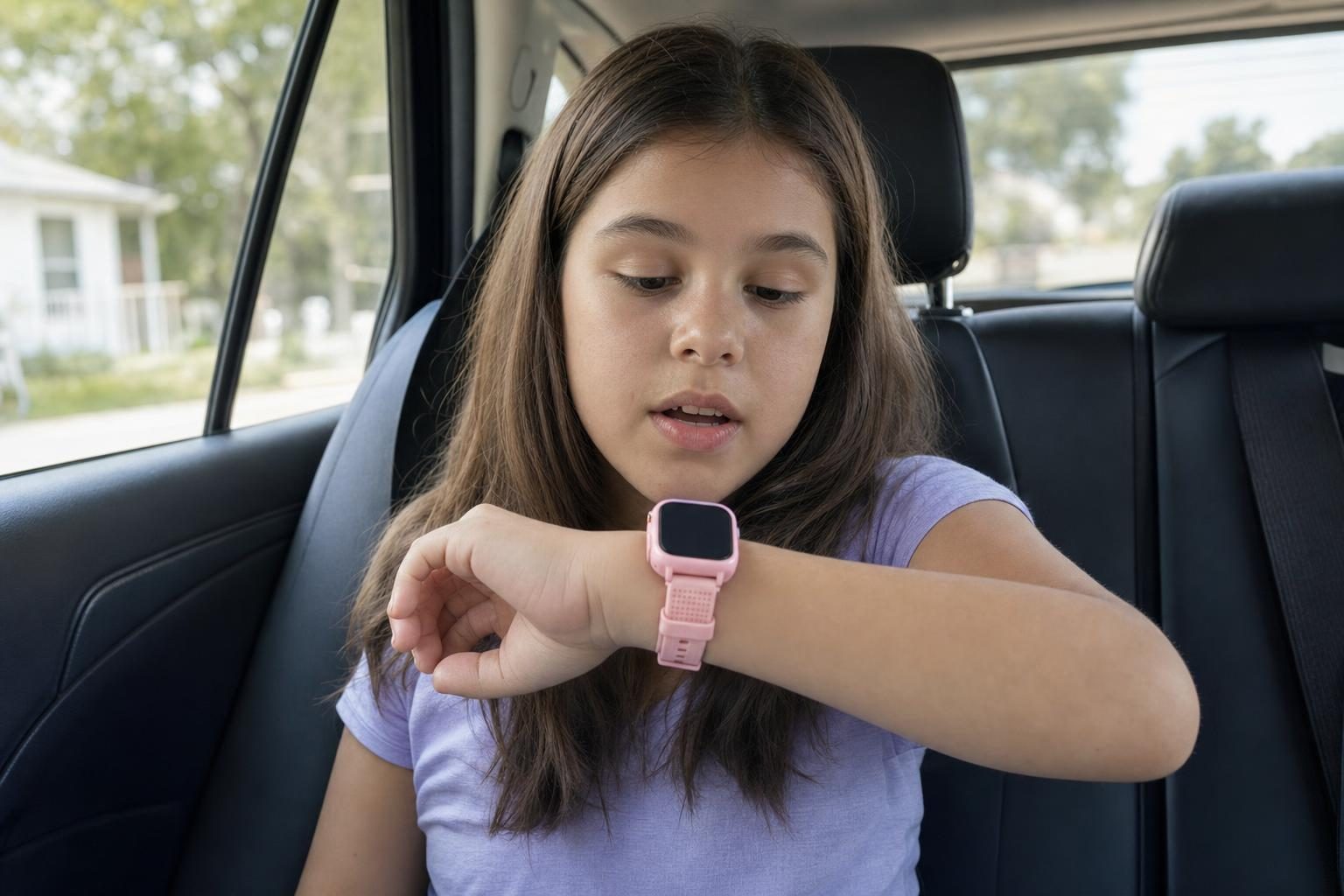
This is not the model for a first-grader. It is meant for older elementary or middle schoolers (around age 10-12 and up) who are ready for a smartwatch with more features, but who still need clear boundaries set by parents.
How the K12 Ultra Compares: MeWatch, Gabb, Gizmo, TickTalk
Here is how the K12 Ultra sits next to Gabb, Gizmo, and TickTalk.
- MeWatch K12 Ultra: The open Android model in the MeWatch lineup, and the only one with apps and WhatsApp. It also has GPS and Wi-Fi, and parental controls are built in. This option is best for older kids who are ready for apps and messaging beyond the basics. It is not a fully closed device, so a parent who wants total lockdown should look at a different MeWatch model.
- MeWatch L12 Prime: A closed kids’ smartwatch with accurate GPS, a selfie camera, video calls, and school mode. No app store, no open internet, and no social media. This fits younger kids or those who should not have access to apps.
- MeWatch K12 Light: The entry-level closed watch. Calls and video calls with approved contacts only, location from cell towers (not GPS), and no apps or browser. Simpler than the Ultra or L12 Prime.
- Gabb Watch: No camera, no video calls. On Verizon, with up to 100 parent-approved contacts, and no internet or social media.
- Gizmo Watch: Verizon’s watch, with video calls, a camera, and up to 20 trusted contacts. No app store or open internet. Verizon is moving families from the GizmoHub app to the Verizon Family app.
- TickTalk: Known for HD video calling, with T-Mobile or AT&T coverage. No app store or open internet. It does include a camera and video calls.
The MeWatch K12 Ultra is the one in this list built for apps and WhatsApp, managed from the parent app. Gabb, Gizmo and TickTalk, like MeWatch's L12 Prime and K12 Light, stay closed. If your child is asking for more than just calling and basic texting, and is ready for the responsibility, the K12 Ultra is a strong candidate.
Who Should (and Should Not) Get the K12 Ultra
K12 Ultra is for:
- Kids who are ready for apps and WhatsApp, but not quite ready for a full phone
- Families who want GPS location and Wi-Fi
- Parents who want to manage apps and contacts through a parent app
K12 Ultra is not for:
- Young children who only need calls with pre-approved contacts
- Families who want a fully closed device with no apps or WhatsApp
If your child is younger, or you want a device with no app access or internet, the MeWatch L12 Prime or K12 Light fit better. The L12 Prime offers accurate GPS and video calls without the risk of app installs, while the K12 Light keeps things as basic as possible. Both are fully closed, with only approved contacts and no outside app downloads.
What Parents Should Know About Setup and Service
Every K12 Ultra comes with a SIM card for nationwide 4G LTE coverage, powered by SpeedTalk. You choose a MeWatch plan, monthly or annual, at me-watch.com/plans, enter the 19-digit SIM number in My Account, and the MeWatch team activates the line. There is no contract, and the plan renews automatically until you cancel it in My Account. Everyday management happens in the MeWatch parent app, where you manage contacts and apps.
Daily Life With the K12 Ultra
For older kids, the K12 Ultra is closer to a grown-up smartwatch. Parents see the location and choose the contacts and apps from the parent app. That makes it a good fit for the first time your child walks to a friend’s house alone.
If your child keeps asking for WhatsApp and you are not ready for a phone, start with the K12 Ultra and set up the apps together in the parent app.
Frequently asked questions
Can the K12 Ultra be locked down so my child cannot install any new apps?
Parents manage which apps are installed through the parent app. The K12 Ultra allows apps, so it is not a fully closed device. If you want zero access to new apps, consider the L12 Prime or K12 Light instead.
Does the K12 Ultra have GPS?
Yes. The K12 Ultra has GPS, so you can track your child’s whereabouts in real time from your phone.
Which MeWatch should I get for a younger child?
For younger kids, or if you want more control, the L12 Prime offers GPS and safety controls without apps. The K12 Light is even simpler, with calls and video calls only with approved contacts.
What network does the K12 Ultra use?
The K12 Ultra comes with a SIM card for nationwide 4G LTE coverage, powered by SpeedTalk. Service is a MeWatch plan, monthly or annual, with no contract.
More for parents
A Phone Without Internet for Kids: Every Real Option, Compared
August 16, 2026 · 14 min read
SafetyCan Strangers Call a Kids Smartwatch? How Approved-Contacts-Only Devices Work
August 16, 2026 · 11 min read
Buying GuidesLooking for a Gizmo Watch Alternative? What Changed in 2026, and What to Choose
August 16, 2026 · 12 min read
Buying GuidesWhich Kids Smartwatch Should You Buy? The 2026 Head-to-Head Comparison
August 16, 2026 · 12 min read